使用 VMware Workstation Pro 建立虛擬機(New Virtual Machine)後,在要啟動虛擬機(power on this virtual
machine)時,發生以下錯誤訊息。
VMware Workstation and Device/Credential Guard are not compatible. WMware Workstation can be run after
disabling Device/Credential Guard. Please visit.
http://www.vmware.com/go/turnoff CG DG for more details.

按下「OK」之後,彈出以下錯誤訊息。
Transport(VMDB)error -14:Pipe connection has been broken.

解決方案(Solution):
以下操作是要確認「開啟虛擬化型安全性」是否已「停用」、Hyper-V 是否已取消安裝與停用。
在「電腦桌面」左下角「搜尋」→ 輸入「gpedit.msc」。

展開「電腦設定」→「系統管理範本」→「系統」→「Device Guard」→ 開啟「開啟虛擬化型安全性」。

將「開啟虛擬化型安全性」設為「已停用」,確定。

到「控制台」→ 開啟「程式與功能」。

點選「開啟或關閉 Windows 功能」。

確認「Hyper-V」功能是沒有被開啟。

最後,在「電腦桌面」左下角「搜尋」→ 輸入「PowerShell.exe」→ 滑鼠右鍵「以系統管理員身分執行」。
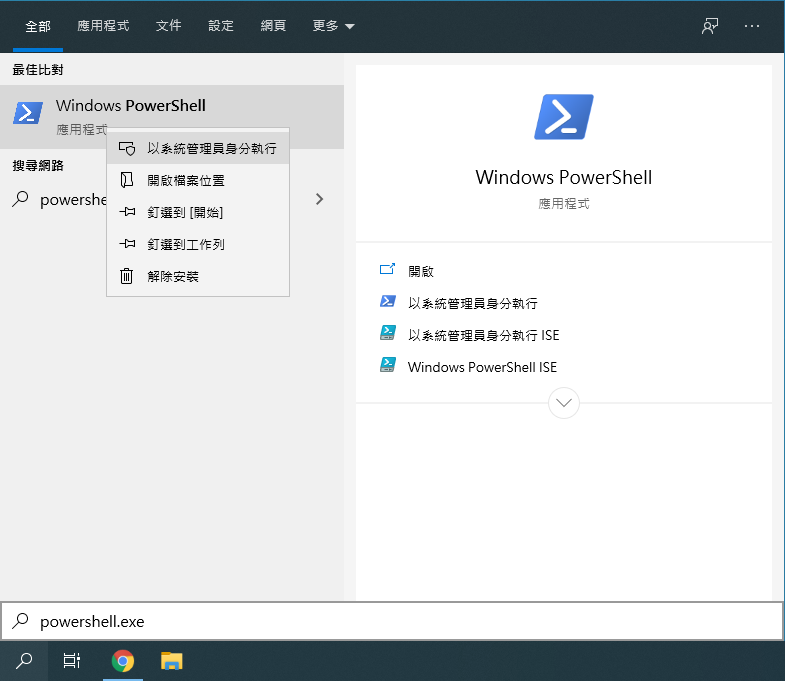
輸入 bcdedit /set hypervisorlaunchtype off

註:如果在不行,試著將電腦重開機。

