計算平均數,我們平時說的平均數,就是計算平均數, 假設一學生的期末考試,語文 \(\displaystyle 90\)、數學 \(\displaystyle 85\)、英語 \(\displaystyle 90\),平均分 \(\displaystyle =(90 + 85 + 90) \div 3\) 約 \(\displaystyle =88.3\)
- 5月 19 週六 201823:43
[數學] 加權平均數、加權平均、加權指數、加權平均法
- 5月 19 週六 201822:05
[Visual Studio 2017] 取消 break mode、Cancel break mode (The appliction is in break mode)
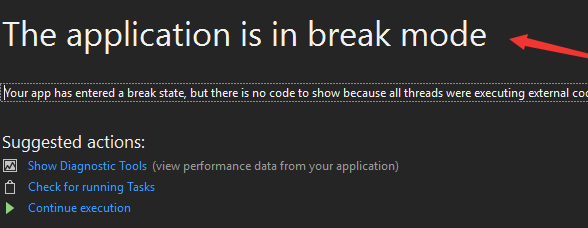
用 Visual Studio 2017 (以下簡稱 VS 2017) 執行程式,程式出錯後,只是進入中斷模式,僅顯示 The application is in
break mode.
而沒有像 VS 2013 那樣告訴你,程式為什麼出錯,出錯的代碼在哪裡,如下圖:
- 4月 26 週四 201821:35
[Windows 10] How to Find Build and Version of Windows 10?查 Windows 10 核心版本、查看 Win10 版本號

Find Your Edition, Build Number, and More with the Settings App
The new Settings app also offers build, edition, and version information in a user-friendly form.
Hit Windows + I to open Settings.
- 4月 26 週四 201810:22
[Windows 10] How to install Windows 10 language packs manually?
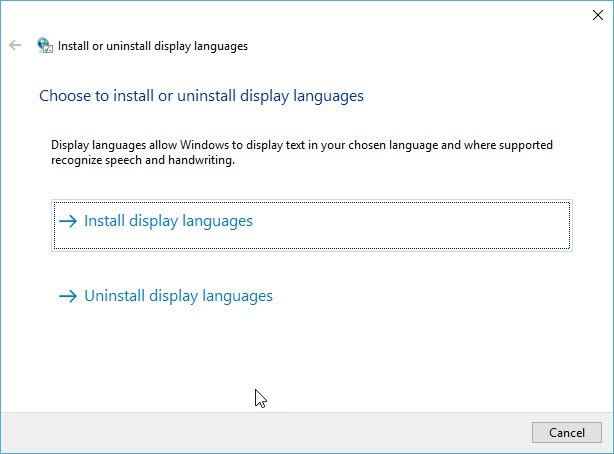
These language packs are in the form of a “cab” file. You can either install them manually or from Windows
Update. I have added both ways to install the language packs. You can choose any way to have a language
pack on your WIndows 10 version 1709.
- 4月 25 週三 201812:03
[Windows 10] 新增語言時出現「不提供該語言套件,或需要基礎語言」、無法使用語言套件
Windows 10 Version 1709 Language Packs Direct Download Links.
The Microsoft has released the Windows 10 build 16299.15 version 1709 in the last week for all users.
If you want to use it in your own language then you may have the direct links for Language Packs for
The Microsoft has released the Windows 10 build 16299.15 version 1709 in the last week for all users.
If you want to use it in your own language then you may have the direct links for Language Packs for
- 4月 13 週五 201822:22
[Windows 10] 停止自動更新、Windows 10 停止自動更新、Windows 10 stop automatic windows update、Win10 取消自動更新

如何將 Windows 10 自動更新停止?
要進行設定有兩個部分:
- 4月 12 週四 201821:13
[Office 2016] Office 2016 Professional plus 金鑰、Office 2016 Professional plus key、Office 2016 Professional plus kms、Office 2016 Professional plus.iso
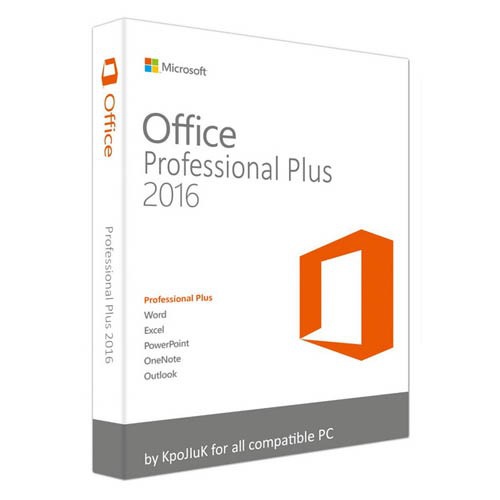
【軟體名稱】:Microsoft Office 2016 Professional Plus.iso
【軟體分類】:辦公軟體
- 4月 06 週五 201813:13
[Ubuntu 16.04.4] How to Install TeamViewer on Ubuntu?

- 4月 06 週五 201811:55
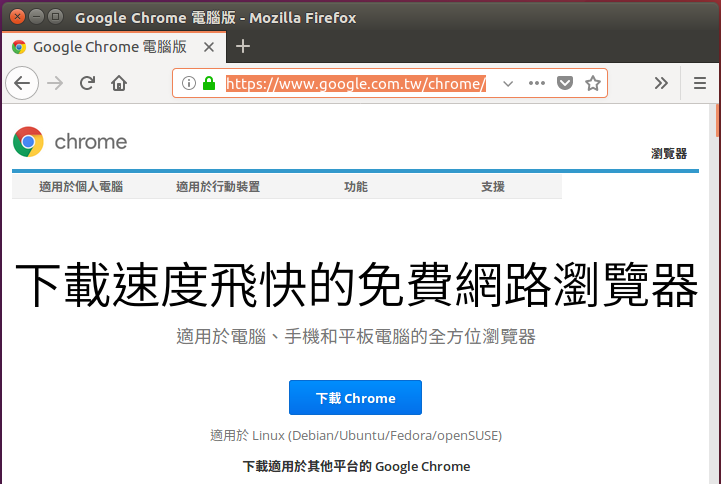
[Ubuntu 16.04.4] How to Install Google Chrome on Ubuntu?
- 3月 13 週二 201821:13
Point 與 Pixel 單位換算、Point 與 Pixel 單位互換、字號、pt、px、em 換算對照表
pt (Point,磅) 是一個物理長度單位,指的是 72 分之一英寸。
px (Pixel,像素)是一個虛擬長度單位,是計算機系統的數字化圖像長度單位,如果 px 要換算成物理長度,需要指定精度
DPI(Dots Per Inch,每英寸像素數),在掃描列印時一般都有 DPI 可選。
Windows 系統預設是 96dpi,Apple 系統預設是 72 dpi。em 是一個相對長度單位,最初是指字母 M 的寬度,故名 em。
px (Pixel,像素)是一個虛擬長度單位,是計算機系統的數字化圖像長度單位,如果 px 要換算成物理長度,需要指定精度
DPI(Dots Per Inch,每英寸像素數),在掃描列印時一般都有 DPI 可選。
Windows 系統預設是 96dpi,Apple 系統預設是 72 dpi。em 是一個相對長度單位,最初是指字母 M 的寬度,故名 em。

 投資、股票、理財、銀行 (1)